TradeFinder is a professional desktop trading platform that scans the market in real time, surfaces high-probability setups across 6 proven strategies, and manages your bracket orders — all in one workspace.
A real-time scrolling ticker at the top of the app fires a chime and flashes whenever a new trade signal is detected — so you never miss a setup mid-session.
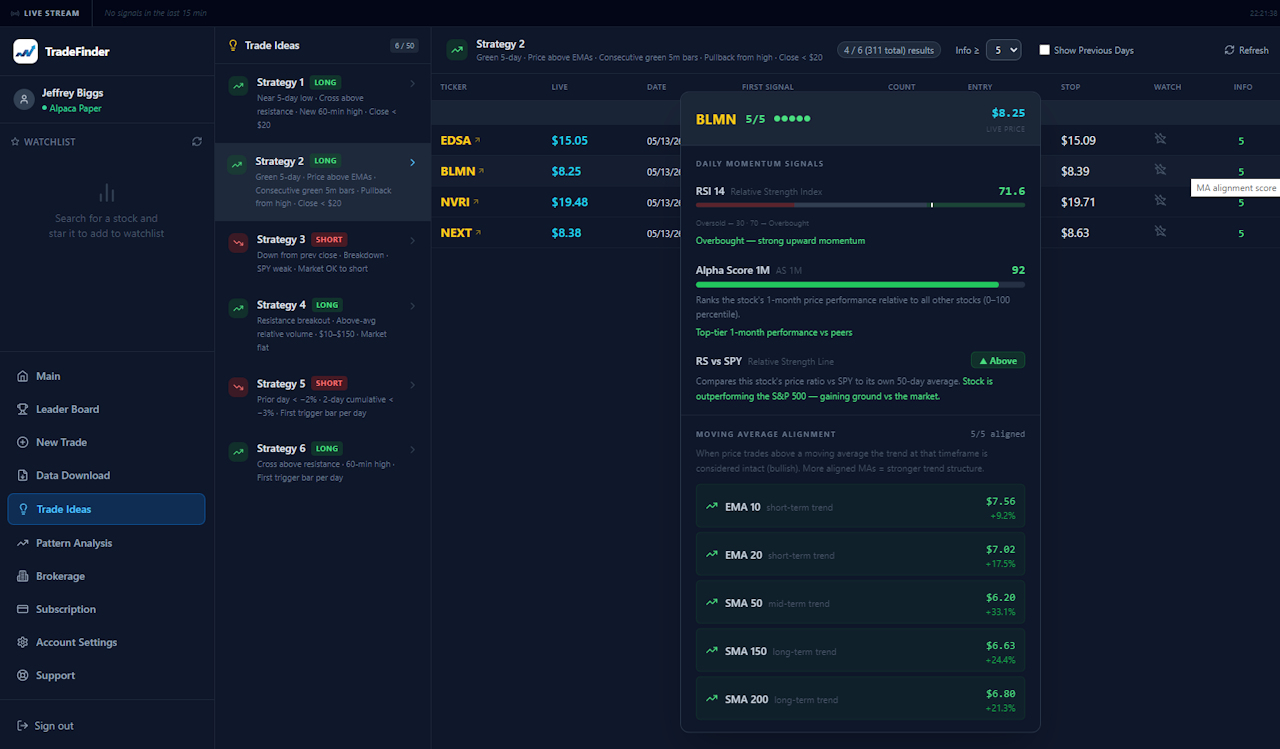
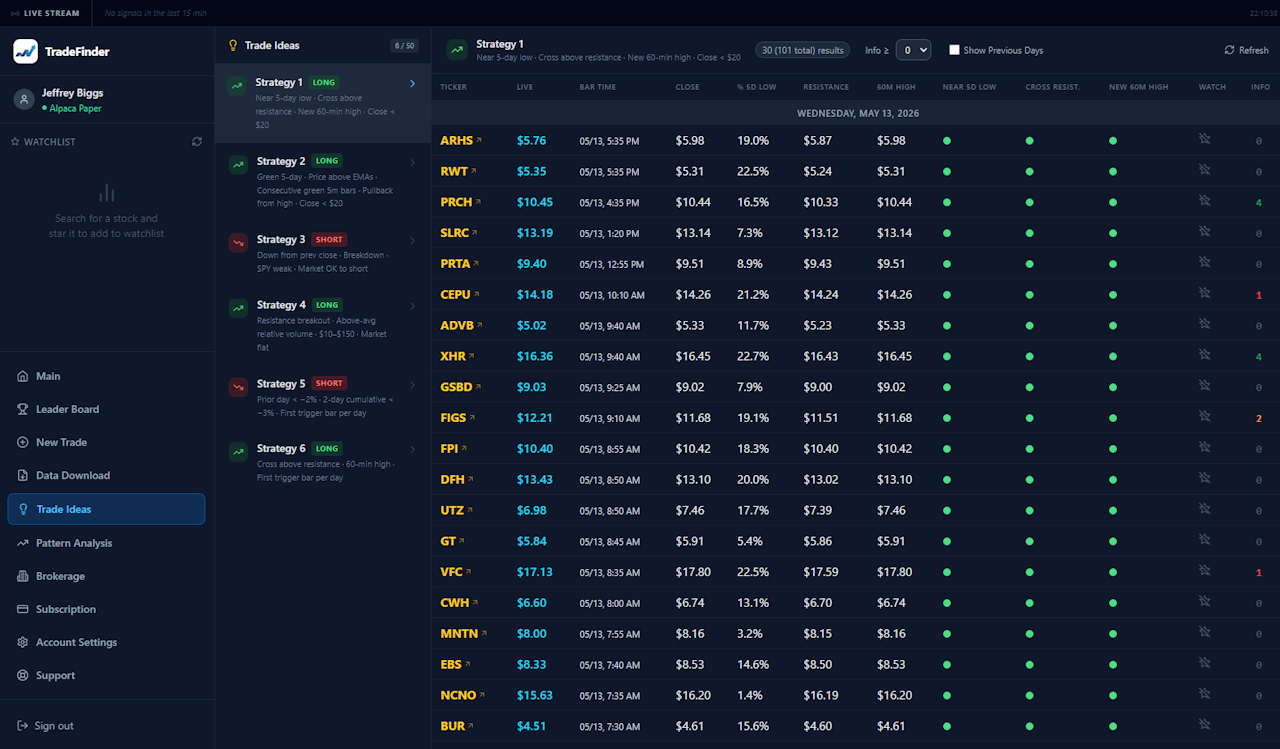
Six pre-built long and short strategies scan the market continuously. Each result shows live price, bar time, resistance levels, and moving average alignment scores in a sortable table.
Tap any ticker for an instant deep-dive: RSI, Alpha Score (1-month relative performance 0–100), RS vs SPY line, and full moving average alignment across EMA 10/20 and SMA 50/150/200.
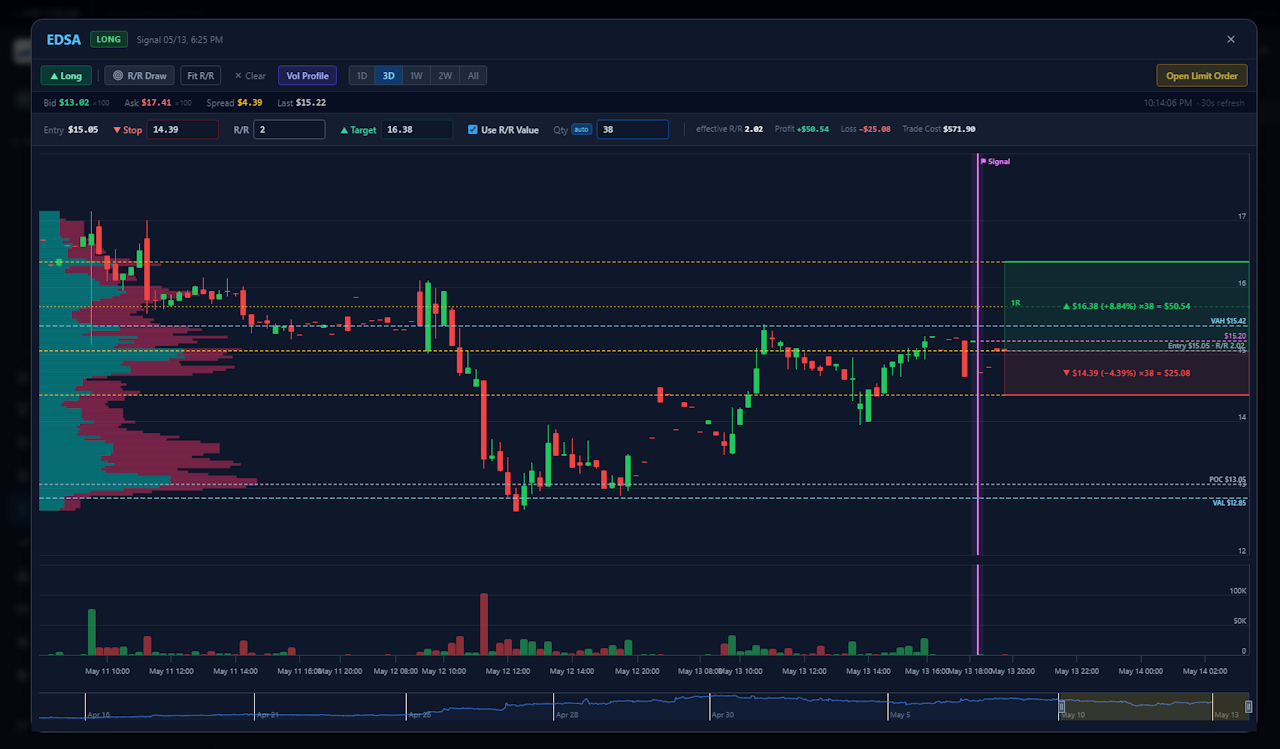
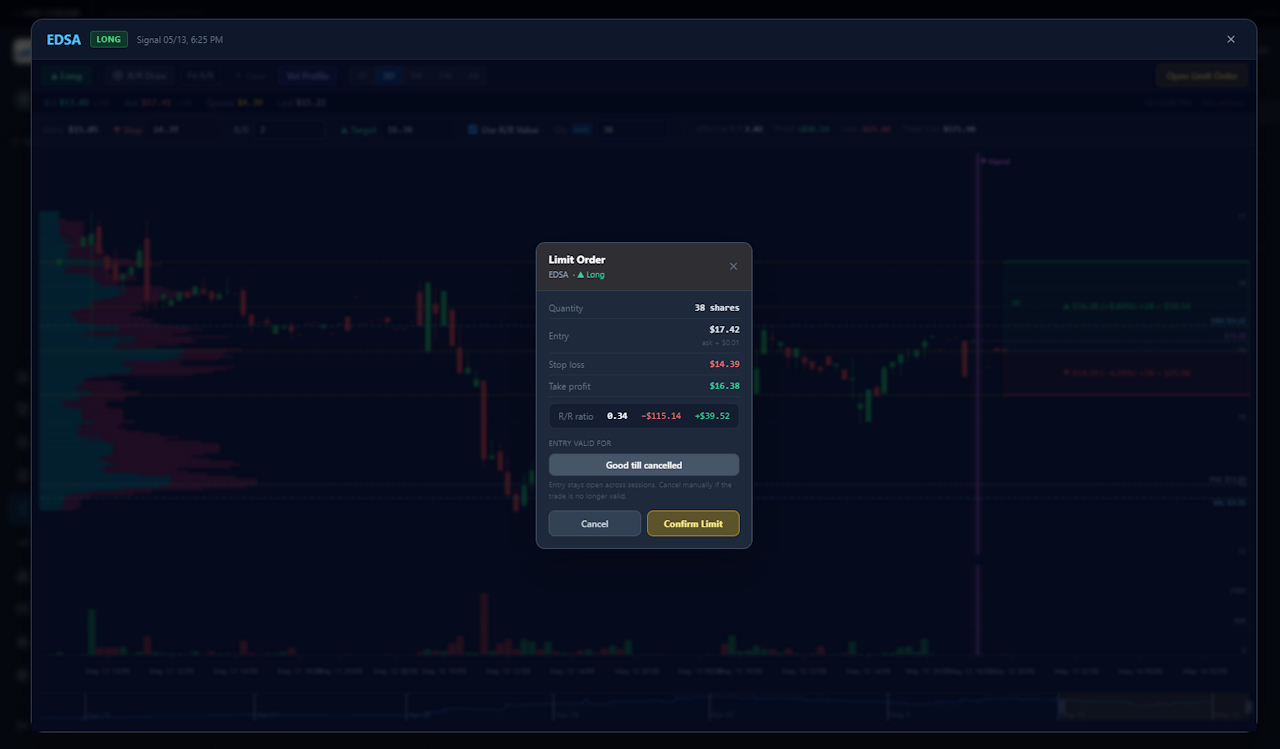
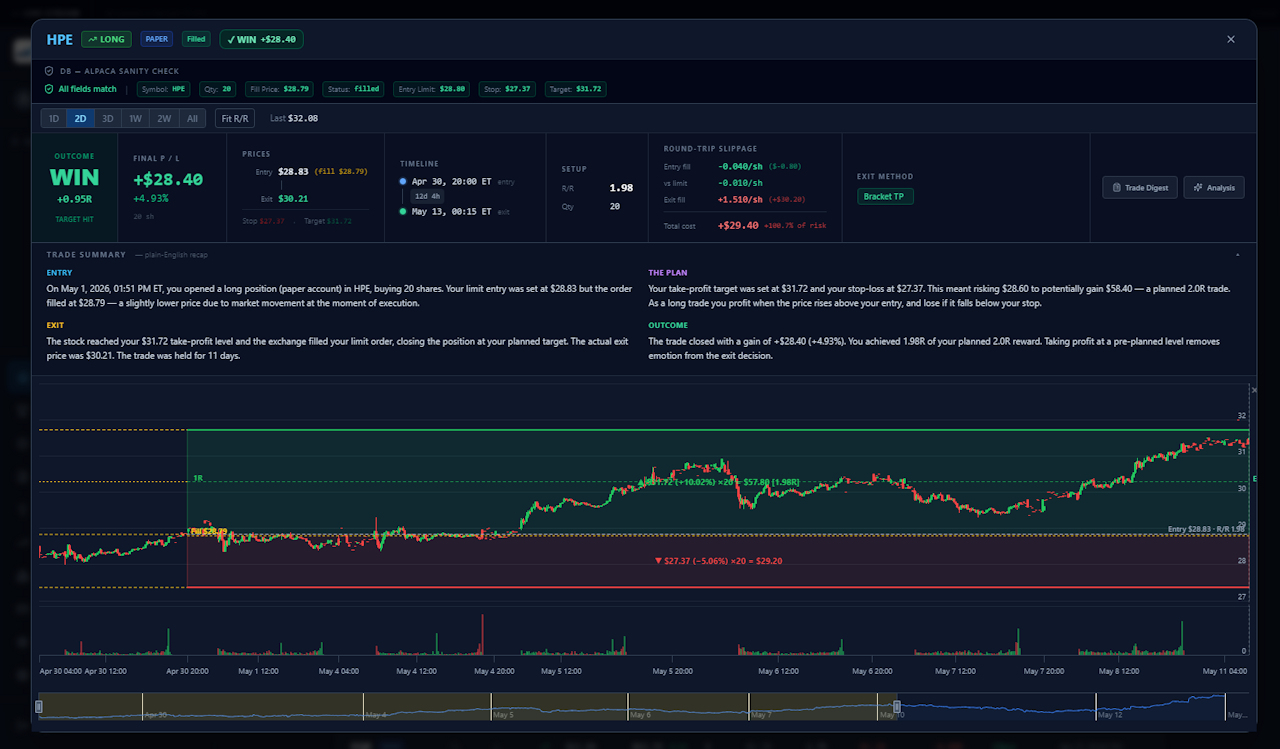
Candlestick charts with Volume Profile overlay, annotated entry/stop/target zones, and an R/R Draw tool that auto-calculates position size, profit, and risk in real time. Open a limit order directly from the chart.
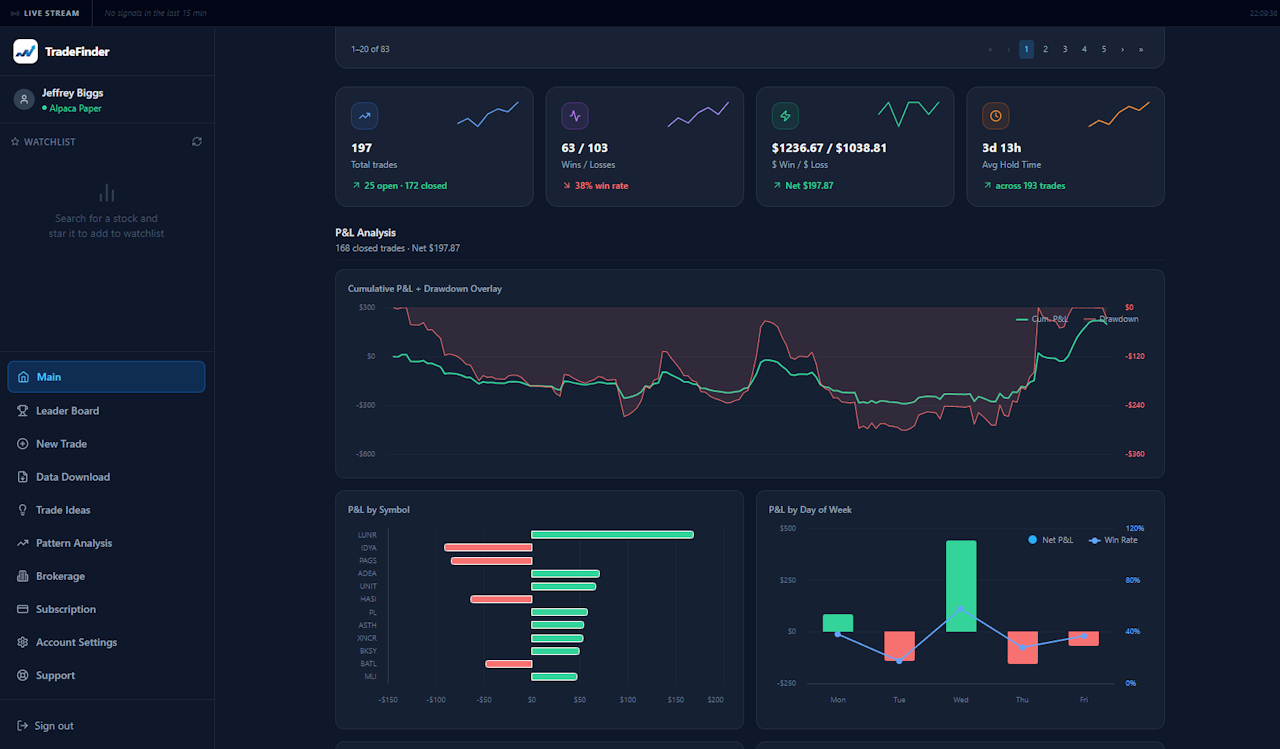
Track every trade with Profit Factor, Sharpe & Sortino ratios, Expectancy, R-Multiple breakdown, Entry Time heatmap, Fill Slippage distribution, and P&L by symbol, day, and direction.
Every trade is tracked as a bracket: entry, take-profit, and stop-loss orders are synced live with your broker. Auto-close automation exits positions when price crosses your levels — no babysitting required.
The New Trade screen shows a real-time sector heatmap so you instantly see which areas of the market are leading — then drill down by industry to find the strongest individual stocks.
Every closed trade generates a written narrative — Entry, Exit, The Plan, Outcome — in plain English. A powerful tool for building discipline and reviewing your decision-making over time.
Set a max risk per trade as a fixed dollar amount or portfolio percentage. Position sizes are auto-calculated from your live broker account balance — consistent sizing, every trade.
TradeFinder runs six pre-built strategies across the full market every minute of the trading day. Results appear instantly in a sortable table — filtered by direction, MA alignment score, and more.
The Main Dashboard gives you a quantitative edge over your own trading. Every metric a professional risk manager would want — updated live as trades close.
Open any ticker in the chart view, drag your R/R box to set entry, stop, and target, and TradeFinder instantly calculates your position size, dollar risk, and potential profit. One click sends a bracket limit order directly to your broker.
TradeFinder integrates with five major brokers. Enter your API credentials once and all order flow, position tracking, and account data sync automatically.
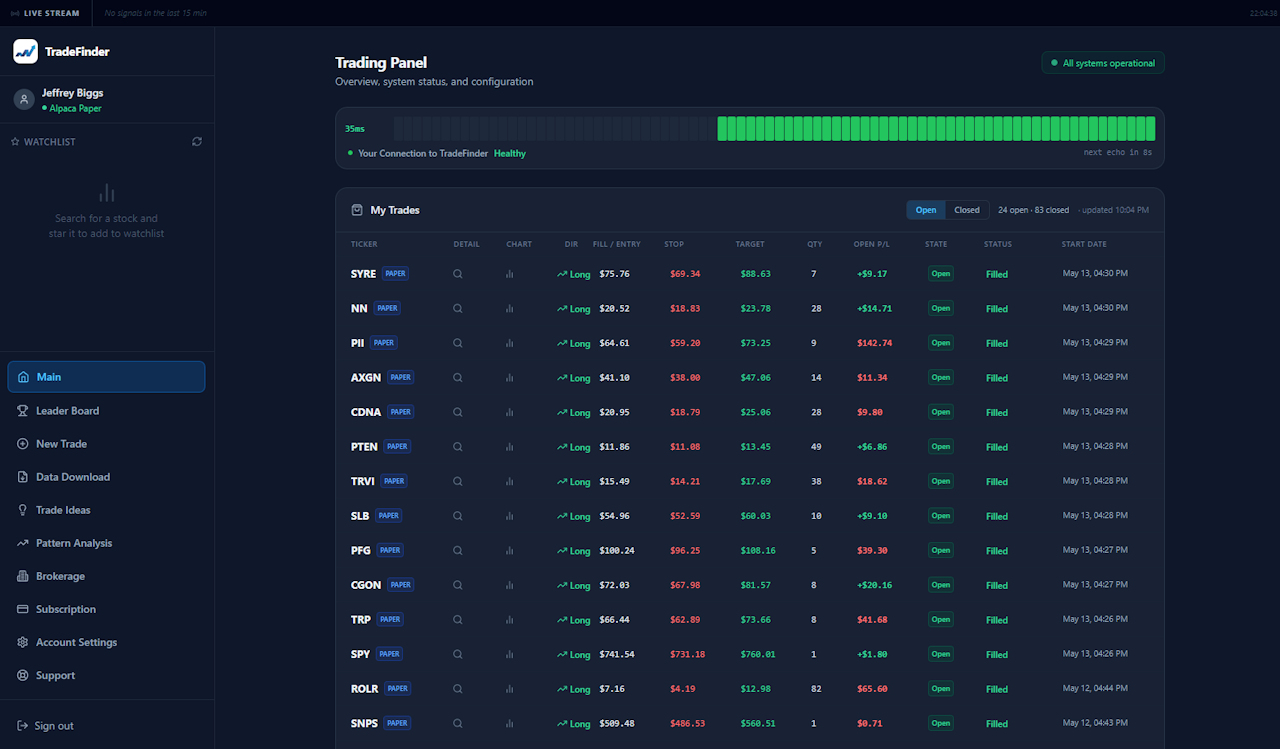
The Trading Panel shows every open and closed position with full bracket details, slippage tracking, R-result, and a system health heartbeat — so you always know the app is connected and running.
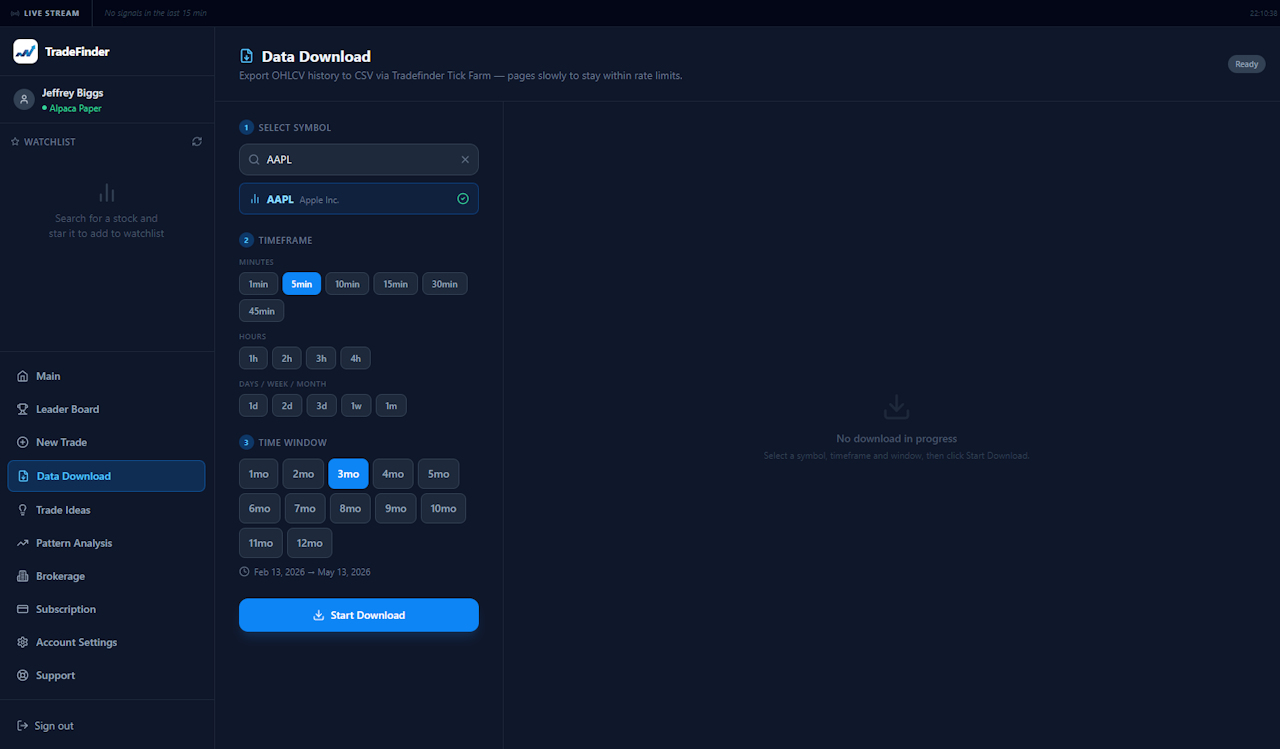
TradeFinder gives you direct access to the same tick-level OHLCV data that powers its signal engine — exportable to CSV in minutes, ready for your own backtests, spreadsheets, or research.
Search any US equity by ticker or name. Choose from minute bars (1m, 5m, 10m, 15m, 30m, 45m), hourly (1h–4h), or daily, weekly, and monthly candles.
Select a lookback window from 1 to 12 months. TradeFinder shows the exact date range before you download — no surprises, no gaps.
Data is exported as a standard OHLCV CSV — open it in Excel, import it into Python, or feed it into any backtesting framework. No reformatting required.
Downloads pull directly from the same Tick Farm data infrastructure that drives live scanning — the same high-quality, exchange-sourced data you trade on.
Select the resolution that fits your strategy — from scalping-grade 1-minute bars to monthly candles for macro analysis.
Click any thumbnail to view the full screenshot with a detailed explanation of what you're looking at.
One plan. Everything included. Cancel anytime.
Choose the installer for your operating system. A TradeFinder account is required to sign in after installation.
By downloading you agree to the TradeFinder Terms of Service. Trading involves risk; past results are not indicative of future performance.